Let me guess. You’ve downloaded at least three productivity apps in the past year. You’ve started a new planner with the best of intentions, probably in January. You’ve followed someone’s “life-changing morning routine” for about eleven days before life got in the way. And now, here you are — still searching for the system that finally clicks.
You’re not lazy. You’re not undisciplined. The real problem is that you’ve been trying to fit your life into someone else’s system, and it was never going to work.
Here’s the truth that most productivity guides don’t want to admit: there’s no universal personal productivity system. There’s no perfect app, no magic morning ritual, no framework handed down from a Silicon Valley CEO that works for everyone. What does work is a system you build yourself — one that’s engineered around your brain, your schedule, your goals, and yes, even your bad days.
That’s exactly what this guide is going to help you do.
We’re going to cover what a personal productivity system actually is, why most people get it wrong from the start, how to audit your own habits before you build anything, which frameworks are worth knowing, how to construct a system with real staying power, and how to keep it alive long after the initial motivation fades.
No fluff. No hustle-culture guilt trips. Let’s get into it.
- What Is a Personal Productivity System — And Why Most People Get It Wrong
- Step 1: Audit Yourself Before You Architect Your System
- Step 2: Pick a Framework That Fits Your Brain
- Step 3: Construct Your System Around These Four Pillars
- Step 4: Add Tools That Reduce Friction, Not Add It
- Step 5: Build Habits That Keep Your System Running
- Final Thoughts
- Frequently Asked Questions
What Is a Personal Productivity System — And Why Most People Get It Wrong
Before you can build something that lasts, you need to be clear on what you’re actually building.
A personal productivity system is a set of interconnected habits, tools, and workflows that help you consistently capture, organize, prioritize, and execute your tasks and goals. That’s the functional definition. But more importantly, it’s the infrastructure that turns your intentions into actions — reliably, even when motivation isn’t showing up to work that day.
Notice what it’s not. It’s not an app. It’s not a framework you read about in a bestselling book. It’s not a productivity hack or a 5 AM alarm. Those things can be components of a system, but they are not the system itself. This distinction matters enormously, because most people focus on the tool and ignore the architecture — and then wonder why everything falls apart after two weeks.
Every effective personal productivity system, regardless of what it looks like on the surface, shares three core functions:
- Capture — a reliable way to get every task, idea, and commitment out of your head and into a trusted place
- Clarity — a process for understanding what actually matters and why, so you’re not just busy, you’re purposeful
- Execution — a structure that makes doing the work feel as frictionless as possible
When any one of these is missing, the whole thing wobbles. You might capture everything but never clarify priorities, so your inbox becomes a graveyard. Or you know exactly what matters but have no system for capturing new inputs, so important things fall through the cracks constantly.
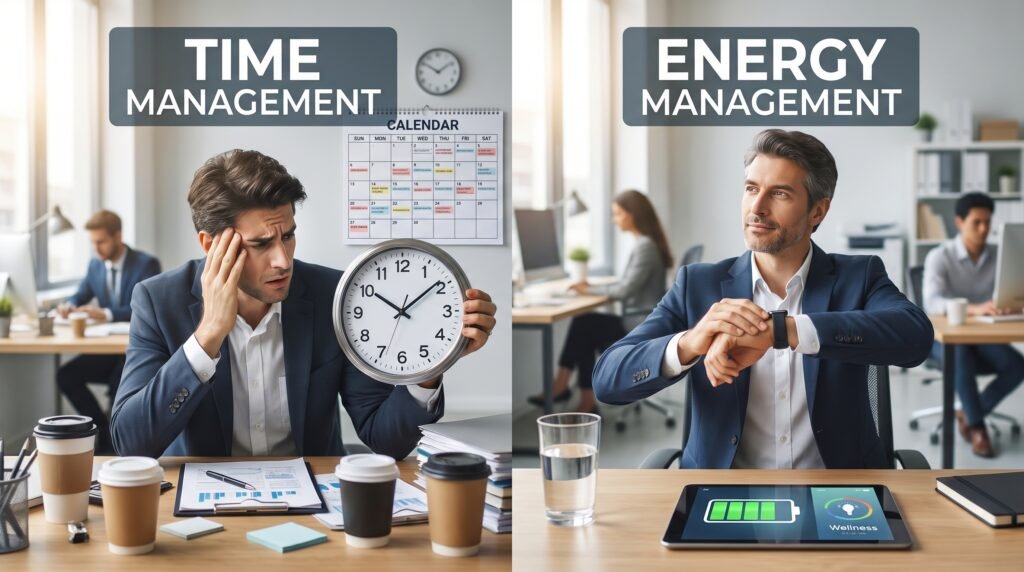
Here’s the insight most productivity guides skip: people fail not because they lack willpower, but because they adopt a method before they understand their own patterns. Think of it this way — a productivity system is like footwear. There’s no universally “best” shoe. A marathon runner and a construction worker need fundamentally different things. Your system should be engineered for your terrain, not someone else’s.
Step 1: Audit Yourself Before You Architect Your System
Most productivity guides jump straight to the tools. This one starts with you — because self-awareness is the actual foundation of any system that sticks.
Before you download anything or commit to a framework, spend a week doing a Productivity Audit: an honest, judgment-free look at how you currently spend your time and energy. Not how you wish you spent it. How you actually do.
Identify Your Peak Energy Windows
Not everyone is most alert and focused at the same time of day, and your system needs to account for that. Chronobiology research identifies a few common patterns: morning types (early peak, early fade), evening types (slow start, late surge), and a middle group sometimes called “third birds” who peak mid-morning.
For five to seven days, note your energy levels at different points in the day. When do you feel sharp, motivated, and clear-headed? When does your brain feel like it’s running on dial-up? Once you know your peak windows, protect them fiercely. Deep, cognitively demanding work belongs in those hours. Email, admin tasks, and routine meetings can fill the low-energy slots.
Understand Your Biggest Productivity Killers
Ask yourself one honest question at the end of each day: “What stopped me from doing my best work today?” Write the answer down. After a week, you’ll start seeing patterns — constant context-switching, unclear priorities, an always-on phone, a tendency to over-engineer before executing.
You can’t fix what you haven’t identified. This step gives you actual data instead of assumptions.
Clarify What “Productive” Means for You
This might be the most important question in this entire guide, and it’s almost never asked. Productive for a freelance designer looks completely different from productive for a parent working part-time, a graduate student, or a corporate executive. Before you build a system, you need to know what a genuinely successful day looks like in your life.
The most durable insight here is this: most people design a system for their aspirational self — the ultra-disciplined, six-AM-alarm version of themselves they hope to become. The system that actually sticks is built for your real self, including bad nights, overwhelming weeks, and days when you simply don’t feel like it. Build in that reality from the start.
Step 2: Pick a Framework That Fits Your Brain
A framework is the skeleton of your productivity system. It’s the underlying logic that determines how you think about tasks, time, and priorities. You don’t need to become a framework evangelist, but you do need to choose one to start with — because a system without a structural logic is just a collection of random habits.
Here are the four most proven frameworks, along with who each one genuinely suits.
GTD (Getting Things Done)
Developed by David Allen, GTD is built on one powerful idea: your brain is for having ideas, not holding them. The method involves capturing every task, commitment, and thought into a trusted system, clarifying what each item means and what the next action is, and reviewing everything regularly so nothing falls through the cracks.
Best for: Knowledge workers, people with high-volume or complex task lists, and anyone who feels chronically overwhelmed by things they’re afraid to forget.
Time Blocking
Rather than working from a to-do list and reacting to whatever feels urgent, time blocking asks you to pre-schedule every hour of your day in advance. You create appointments with your own work, including deep focus blocks, admin time, and breaks.
Best for: People who struggle with distraction, creative workers who need long uninterrupted stretches, and anyone who finds that their days get hijacked by other people’s priorities.
The Ivy Lee Method
Simple enough to explain in a sentence: at the end of each workday, write down the six most important things you need to accomplish tomorrow. Rank them in order of priority. When tomorrow arrives, work through the list in order and don’t move on until each task is done.
Best for: People who feel overwhelmed by long to-do lists and need a no-frills approach that forces prioritization without any setup overhead.
The PARA Method
Created by Tiago Forte, PARA organizes all your information and projects into four buckets: Projects (things with a deadline), Areas (ongoing responsibilities), Resources (reference material), and Archives (inactive items). It’s less about task management and more about information management.
Best for: People managing large amounts of notes, research, or creative projects who need their knowledge base to actually be usable.
The most important rule: pick one framework, commit to it for at least 30 days, then evaluate. Don’t stack frameworks before you’ve given one a real trial. Complexity is the enemy of consistency — and the best framework is always the one you’ll actually follow.
Step 3: Construct Your System Around These Four Pillars
Regardless of which framework you choose or which tools you use, every productivity system that stands the test of time is built on four core pillars. Skip one, and the whole structure becomes unstable.
Pillar 1: A Trusted Capture System
Your brain is a processing device, not a storage device. Every task, idea, commitment, random thought, and creative spark should be immediately captured into a single trusted inbox — whether that’s a physical notebook, a voice memo app, or a digital inbox. The key word is single. The moment your capture system is spread across three apps, two notebooks, and a pile of sticky notes, you’ve stopped trusting it — and the whole thing breaks down.
Choose one capture tool and train yourself to use it without exception. Clear your inbox regularly. This is how you go from a stressed, forgetful brain to one that can actually think clearly.
Pillar 2: A Weekly Review Ritual
If there’s one habit that separates people with systems that last from people who abandon theirs, it’s the weekly review. This is a dedicated 30-to-45-minute session — ideally every Friday afternoon or Sunday evening — where you look back at the week, clear out your inboxes, review your active projects, and plan the week ahead.
Without this, your system gradually fills up with outdated tasks, forgotten commitments, and irrelevant clutter. It stops feeling reliable, so you stop using it. The weekly review is maintenance, and no system runs indefinitely without maintenance.
Pillar 3: A Clear Priority System
Having a list of tasks is not the same as knowing what to work on. You need a daily mechanism for identifying your Most Important Tasks (MITs) — the one to three things that, if done, make the day genuinely successful regardless of everything else.
This cuts through the noise of full inboxes and long backlogs. It also pairs beautifully with time blocking: once you know your MITs, you can anchor them in your peak energy windows and build the rest of the day around them.
Pillar 4: An Environment Designed for Focus
Here’s the pillar most productivity guides completely ignore: your environment. Your system doesn’t exist in a vacuum — it lives inside a physical space and a digital ecosystem, and both of those environments are constantly either supporting or sabotaging your focus.
On the physical side, this means a workspace that signals “it’s time to work” — minimized visual clutter, good lighting, and whatever conditions help you get into flow. On the digital side, it means ruthlessly managing notifications, being intentional about which apps are on your home screen, and building a single-tasking culture for yourself.
Willpower is a finite resource. A well-designed environment makes the right behavior effortless, which means you’re not spending energy on self-discipline that could go toward actual output. Your environment is the silent co-author of everything you produce.
Step 4: Add Tools That Reduce Friction, Not Add It
Here’s where a lot of well-intentioned productivity systems go off the rails. People discover a beautiful Notion template, spend six hours customizing it, and call it a productive Saturday. The system never gets used for actual work because the setup became the work.
This is sometimes called “productivity theater” — the performance of being organized without the output to show for it. The antidote is simple: tools should serve your system, not become it.
Before choosing any tool, ask one question: does this reduce friction in my workflow, or does it add a new layer I have to manage? If the answer is the latter, leave it.
Here’s a straightforward tool stack organized by function:
| Function | Analog Option | Digital Option |
| Task capture | Pocket notebook | Apple Notes, Todoist |
| Project management | Bullet journal | Notion, ClickUp |
| Calendar / time blocking | Paper planner | Google Calendar |
| Focus / deep work | Physical timer | Forest, Be Focused |
| Weekly review | Dedicated notebook | Notion template |
Start with the simplest possible option for each function. A plain notebook and Google Calendar will outperform an elaborate multi-app setup if you actually use them consistently. Only upgrade a tool when you’ve genuinely outgrown it — not because a new one looks more aesthetic.
The goal is output. A boring, functional tool stack you use every day will always beat a gorgeous system you abandon after three weeks.
Step 5: Build Habits That Keep Your System Running
Even the best-designed personal productivity system requires ongoing maintenance — and that maintenance needs to be built into your routine as habits, not treated as optional extras.
The Daily Shutdown Ritual
Spend 10 to 15 minutes at the end of each workday doing three things: clearing your task inbox, setting your MITs for tomorrow, and logging one win from the day. This creates a psychological boundary between your work life and personal life, reduces morning decision fatigue, and gives you a moment to acknowledge progress — which matters more than most people realize for long-term motivation.
The Monthly System Review
Once a month, zoom out. Are the tools still working, or have they become a source of friction? Is the framework still fitting your current season of life? A system that worked perfectly during a slow quarter may need recalibrating when your workload triples.
Ask yourself two questions: “What’s creating friction?” and “What’s creating flow?” Cut the former, protect the latter.
Graceful Recovery — Not Guilt
This is the maintenance habit nobody talks about, and it might be the most important one. What do you do when you fall off the system for a week? For most people, the answer is: feel guilty, conclude the system doesn’t work, and abandon it entirely.
Don’t do that. Missing a week isn’t failure — it’s data. Something made the system hard to maintain: travel, illness, unexpected stress, a framework that didn’t survive contact with real life. Treat it as a signal to adjust, not a reason to quit.
The “never miss twice” rule is useful here: it’s okay to miss a day or a week, but make it a personal standard not to miss two in a row. Resilience should be a feature of your system from day one — not an afterthought.
Final Thoughts
Building a personal productivity system isn’t about squeezing more output from every hour. It’s about making sure that the hours you do give to work are going toward what actually matters — and that you’re not spending your mental energy managing chaos instead of creating things.
The system that works for you is the one that fits your actual life: your energy patterns, your priorities, your cognitive style, and your version of a successful day. It’s built in iterations, maintained with simple rituals, and adjusted freely as life changes.
You don’t need to implement everything in this guide at once. Pick one thing — a daily shutdown ritual, a weekly review, or a single trusted capture tool — and make that real this week. Then build from there.
A productivity system, like any good infrastructure, starts small and grows with you. The best time to start was six months ago. The second best time is right now.