There’s a strange gap between sitting down to work and actually getting work done. You know the feeling — you’ve got the time, the to-do list, maybe even a fresh cup of coffee. And yet twenty minutes later you’re hunting for a charger, squinting at a glare on your screen, and wondering why your back already hurts. The problem usually isn’t you. It’s the space around you.
Here’s something most productivity advice skips over: where you work quietly shapes how you work. A cluttered, poorly lit, uncomfortable setup drains your focus in a hundred tiny ways you never consciously notice. A well-designed one does the opposite — it clears the runway so your best thinking can actually take off. After years of studying productivity research, ergonomics principles, and what separates a “meh” desk from a great one, I’ve become convinced that your environment is the most underrated productivity tool you own.
So let’s fix it. This is a practical, step-by-step guide on how to create a productive workspace — whether you’re building one in a spare bedroom, carving out a corner of your apartment, or trying to make the most of an assigned desk at the office. No expensive gear required. Just intentional choices that add up.
- Why Your Workspace Matters More Than You Think
- Step 1: Choose the Right Location
- Step 2: Get Your Ergonomics Right
- Step 3: Master Your Lighting
- Step 4: Tame the Clutter
- Step 5: Control Sound and Distractions
- Step 6: Add Elements That Boost Focus and Mood
- Step 7: Build Habits That Keep the Space Working for You
- Home vs. Office: A Quick Side-by-Side
- Common Mistakes to Avoid
- Final Thoughts
- Frequently Asked Questions
Why Your Workspace Matters More Than You Think
Your brain is constantly reading the room. Long before you sit down to tackle a task, your environment is sending signals — is this a place for focus or for relaxing? Is everything I need within reach, or am I about to hit a wall? Those signals influence your mood, your concentration, and even the quality of the decisions you make throughout the day.
I like to think of it in terms of environmental friction. Every small obstacle in your space — a tangled cord, a stack of unrelated papers, a chair that makes your shoulders creep up toward your ears — costs you a little hit of mental energy. Individually, none of these matter much. But they compound. By mid-afternoon, you’ve spent a surprising chunk of your willpower not on your work, but on quietly compensating for a space that’s working against you.
This is why clutter and cognitive load are so closely linked. When your visual field is busy, your brain has more to filter out, leaving less bandwidth for the thing you’re actually trying to do. The same goes for context-switching: a workspace full of unrelated cues (your grocery list, a half-read book, three open browser tabs about something else entirely) keeps nudging your attention off-task.
The encouraging flip side is that this cuts both ways. Small, intentional changes to your space compound into real productivity gains — and you don’t need a renovation budget to make them. You just need to know where to look. So let’s go step by step.
Step 1: Choose the Right Location
Before you buy a single accessory, decide where the work happens. Location sets the ceiling for everything else.
Finding Your Spot at Home
In an ideal world, you’ve got a dedicated room with a door you can close. In the real world, plenty of people are working from a corner of the living room or a spot at the kitchen table. Both can work — but the key is creating a “work-only” zone, even a small one.
Why does this matter so much? Because your brain builds associations with places. If you eat, relax, scroll, and work in the exact same spot, that spot gets mentally muddy. It doesn’t clearly say “focus” or “rest.” When you can carve out even a modest area used only for work, you give your mind a clean signal: this is where we get things done.
If space is tight, get creative. A specific chair you only sit in to work, a foldable desk that comes out during work hours, or even a particular side of the table can create that separation. The point is the boundary, not the square footage.
Making the Most of an Assigned Office Desk
At the office, you often can’t choose your location — but you can shape it more than you think. You may not control the floor plan, but you usually control your desk surface, your monitor position, your chair adjustments, and a few personal touches. Focus your energy there instead of stewing over what you can’t change.
A quick note on placement, wherever you are: aim for natural light and be mindful of traffic flow. Sitting with your back to a busy walkway keeps you subtly on alert, because you can’t see who’s coming. If you can angle yourself so you’re not startled by movement behind you, you’ll feel calmer and more settled — which translates directly into better focus.
Step 2: Get Your Ergonomics Right
Here’s the foundation almost everyone skips, and it’s the one that matters most. Ergonomics isn’t just about comfort — it’s a productivity issue. Aches, stiffness, and fatigue don’t announce themselves loudly; they quietly siphon off your concentration until you’re squirming in your seat and wondering why you can’t settle in.
Chair, Desk, and Screen Height Basics
You don’t need to memorize a textbook. A few simple guidelines cover most of it:
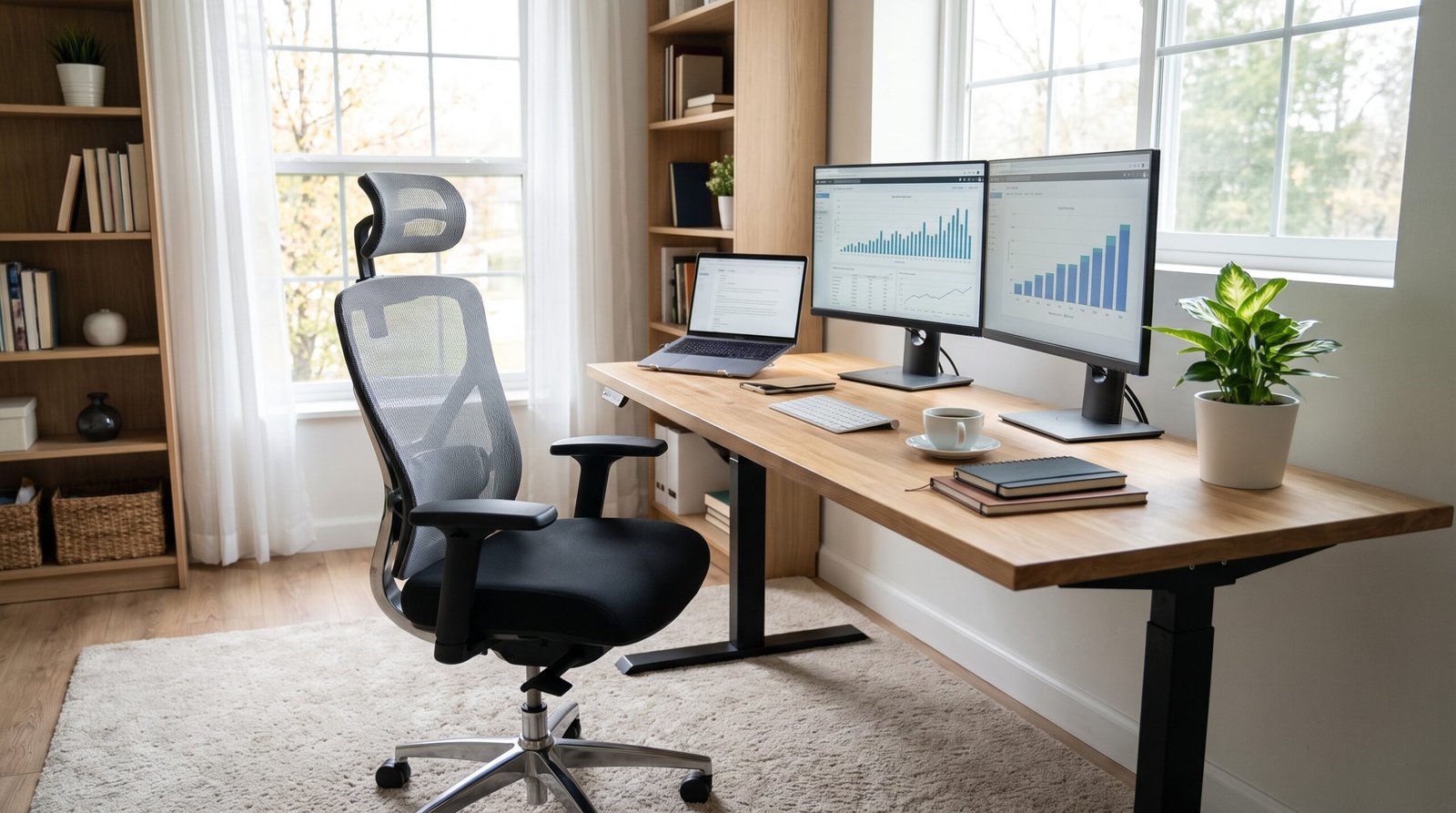
- Elbows should rest at roughly a 90-degree angle when your hands are on the keyboard, with your forearms about parallel to the floor.
- Eyes should land near the top third of your screen when you look straight ahead — so you’re not craning your neck down or tipping your head back.
- Feet should sit flat on the floor (or on a footrest), with your thighs roughly parallel to the ground.
Get those three things right and you’ve solved the majority of everyday discomfort.
Standing Desks and Movement
Sit-stand desks get a lot of hype, and they can genuinely help — but here’s the truth: no single posture is the “perfect” one. The real win isn’t standing instead of sitting; it’s movement. The best posture is your next one. Shifting between sitting and standing, getting up for short walks, and simply changing position throughout the day beats locking yourself into any one setup.
You also don’t need to spend a fortune. A few budget-friendly swaps go a long way: stack some sturdy books under your monitor to raise it to eye level, roll up a towel for lumbar support behind your lower back, or grab a small box as a footrest. These cost nothing and fix the fundamentals that expensive gear is often just papering over.
Step 3: Master Your Lighting
Lighting is one of those things you don’t notice until it’s wrong — and by then, you’ve got a headache and tired eyes without knowing why.
Natural Light First
Whenever possible, put natural light to work. Position your desk so a window is to the side rather than directly in front of or behind your screen. Facing a window can wash out your monitor and force your eyes to constantly readjust; having it behind you creates glare. Side lighting gives you the brightness without the strain.
Layering Artificial Light
One overhead bulb is not a lighting plan. The best-lit spaces use layers: ambient light to fill the room evenly, and task light (like a desk lamp) aimed at your work surface for detail work. Relying on a single harsh ceiling fixture creates shadows and contrast that tire your eyes over a long day.
There’s also a subtler lever worth pulling: color temperature. Cooler, bluer light tends to boost alertness and focus, which makes it great for the heart of your workday. Warmer, softer light is better for winding down. If you’re using adjustable bulbs, lean cool while you’re grinding through focused work and warmer as the evening approaches.
One last tip to protect your eyes: make sure your screen isn’t the brightest thing in an otherwise dark room. Balancing your screen brightness with the light around it dramatically cuts eye strain.
Step 4: Tame the Clutter
Decluttering isn’t a heroic weekend project you do once and never again — it’s a system you maintain. If you treat it as a one-time event, your desk will creep right back to chaos within a week. Build a simple rhythm instead.
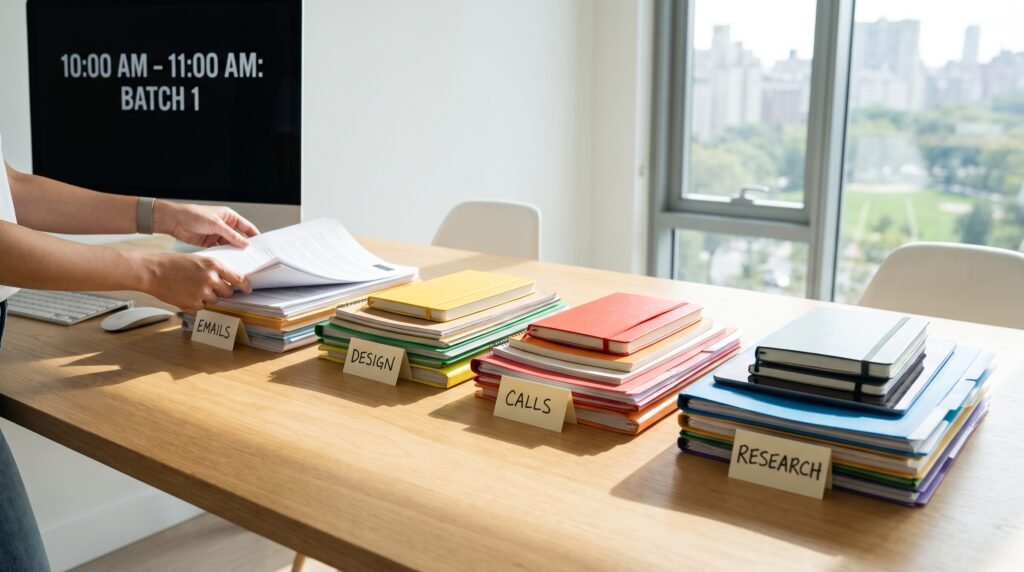
A rule I love for its simplicity is the arm’s reach rule: only the things you use every single day earn a spot on your desk surface. Your daily notebook, your pen, your water — sure. That stack of papers from a project you finished last month? Off the desk. Everything you reach for daily stays; everything else finds a home elsewhere. This one habit keeps your workspace clear without any elaborate organizing system.
Digital Clutter Counts Too
Here’s the part people forget: your screen is a workspace too, and it gets just as messy. A desktop buried in files, seventeen open tabs, and a steady drip of notifications create real mental noise. Close the tabs you’re not using. Clear your desktop. Turn off non-essential notifications during focus time. A tidy digital space quiets your mind the same way a tidy physical one does.
And don’t overlook cables. A nest of tangled cords is a small, constant source of visual friction — and untangling them when you need to plug something in is exactly the kind of tiny obstacle that breaks your flow. A few cable clips or a bundle tie is a five-minute fix that pays off every day.
Step 5: Control Sound and Distractions
Sound is sneaky. You can adapt to a lot of it consciously while it still chips away at your concentration underneath.
Managing Noise at Home
At home, the challenge is usually people and unpredictability — family, roommates, the neighbor’s leaf blower. A good pair of noise-canceling headphones is the fastest fix. If you’d rather not wear something all day, sound masking helps: a fan, a white-noise track, or low instrumental music can smooth over jarring background sounds so they don’t yank your attention.
Handling the Open-Office Challenge
Open offices come with their own puzzle — you can’t control the noise, so you manage your signals and blocks instead. Headphones do double duty here: they cut sound and they tell colleagues you’re heads-down. Establishing “focus blocks” on your calendar, where you’re intentionally unavailable, protects your deep work from the constant drip of interruptions.
Here’s a distinction worth making, because it changes how you respond. There are acute distractions — a knock on the door, someone stopping by your desk — and there are ambient ones, like a buzzing phone or background chatter. You fight them differently. Acute distractions call for boundaries and communication (“I’m free after 2”). Ambient ones call for environmental fixes: headphones, phone in a drawer, notifications off. Lumping them together is why so many anti-distraction efforts fizzle.
Step 6: Add Elements That Boost Focus and Mood
Once the fundamentals are handled, you can layer in the things that make a space genuinely pleasant to be in — because you’ll do better work somewhere you actually want to sit.
Plants and Biophilic Design
There’s solid support for the idea that a bit of greenery improves concentration and lifts mood. This is the essence of biophilic design — the notion that we’re wired to feel better around natural elements. A small plant or two on or near your desk is one of the easiest, most affordable upgrades you can make. Bonus: it gives your eyes something living to rest on when you look up from the screen.
Personal Touches That Help (and Ones That Hurt)
Personalizing your space makes it feel like yours, which matters. But there’s a fine line between motivating and distracting. A photo that makes you smile or a small object that means something to you — great. A dozen knickknacks, a wall of sticky notes, and every gift you’ve ever received crowding your sightline — not so great. Keep it intentional. A couple of meaningful touches beat a cluttered shrine every time.
Other small sensory cues can help too. A pleasant scent from a candle or diffuser, or a calming color in your line of sight, can subtly shift how the space feels. Just remember the through-line of this whole guide: intentional, not cluttered.
Step 7: Build Habits That Keep the Space Working for You
A productive workspace isn’t something you create once and forget. It’s something you maintain. The setup is only half the equation — the habits around it keep it working.
The End-of-Day Reset Ritual
My single favorite habit is the end-of-day reset: a two-minute routine to close out your day. Clear your desk back to its baseline, jot down where you left off, and set out what you’ll tackle first tomorrow. It’s a tiny investment that pays off enormously, because you start each morning walking into a clean, ready space instead of yesterday’s mess. That fresh start makes it dramatically easier to dive in.
Weekly and Monthly Check-Ins
Beyond the daily reset, do a quick check-in every week or so. Is anything creeping back onto your desk that doesn’t belong? Has your work changed in a way that means your setup should change too? Your needs evolve — a new project, a new role, a new tool — and your space should keep pace.
Finally, tie your physical space to your workflow habits. A great desk supports great work patterns: time-blocking your day, single-tasking instead of juggling five things, and protecting your focus. The environment and the habits reinforce each other.
Home vs. Office: A Quick Side-by-Side
The core principles are the same everywhere, but the practical realities differ. Here’s a quick comparison to keep in mind:
| Factor | Working From Home | Working at the Office |
| Control over space | High — you shape almost everything | Limited — focus on your desk and immediate area |
| Boundaries | Harder to separate work and life; must create them deliberately | Built-in separation between home and work |
| Equipment | You supply and choose it | Often provided; personalize within limits |
| Distractions | Family, chores, household noise | Colleagues, open-plan noise, meetings |
| Biggest priority | Establishing a clear work-only zone | Optimizing ergonomics and managing shared-space noise |
The takeaway: at home, your main job is building boundaries and structure. At the office, it’s optimizing the slice of space you control and defending your focus from a busy environment.
Common Mistakes to Avoid
A few pitfalls trip people up again and again. Steer clear of these:
- Chasing aesthetics over function. A gorgeous desk that leaves you hunched and squinting isn’t productive — it’s just photogenic.
- Over-personalizing. Too many decorations turn a workspace into a distraction zone.
- Ignoring ergonomics. The most common and most costly mistake. Comfort fundamentals beat any gadget.
- Buying your way out of it. Splurging on accessories before fixing the basics (posture, lighting, clutter) is money spent papering over the real problems.
- Treating setup as “one and done.” A workspace is a living system. Set it and forget it, and it slowly slides back into chaos.
Final Thoughts
If there’s one idea to take from all of this, it’s that a productive workspace has almost nothing to do with expensive gear and almost everything to do with intentional choices. Every step here — the right location, solid ergonomics, good lighting, a system for clutter, control over distractions, and habits that maintain it all — comes back to the same principle: reduce the friction, and let your focus flow.
You don’t have to do everything at once. In fact, please don’t. Pick the one thing that’s been bugging you most — the glare, the backache, the clutter — and fix that today. Then come back for the next one. Small changes compound, and before long you’ll have a space that genuinely works for you instead of against you.
Your best work deserves a space that supports it. Go build it — one intentional choice at a time.